Facebook Timeline Cover PSD Template: Your Social Media Design Toolkit
Standing out on Facebook is more challenging than ever. Your timeline cover is prime real estate—it's the first thing visitors see when they land on your profile or page. A polished, professional banner instantly communicates credibility, personality, and purpose. But creating one from scratch? That takes time most of us simply don't have.
That's where a well-crafted Facebook Timeline Cover PSD Template becomes invaluable. Instead of wrestling with dimensions, alignment, and layout decisions, you get a ready-made framework that lets you focus on what matters: showcasing your brand, your photography, or your creative vision.
What Makes These Templates Work So Well
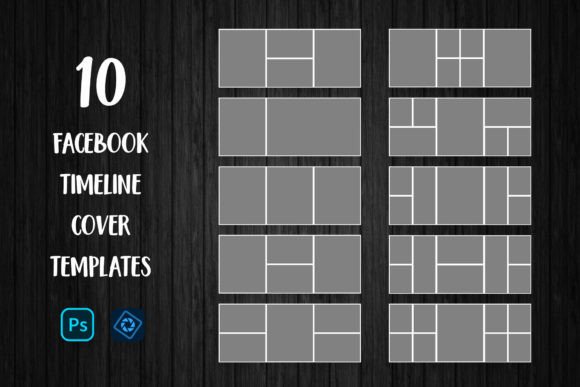
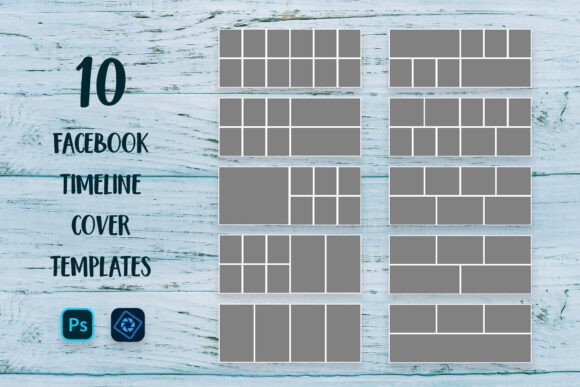
The Social Media Banner Mega Pack includes 10 Facebook Timeline Cover Templates, each designed with layered PSD files that give you complete creative control. At 851x315 pixels in RGB color mode, these templates hit the exact specifications Facebook requires—no guessing, no awkward cropping after upload.
What sets these apart from generic designs is the layered structure. Every element sits on its own layer, meaning you can swap colors, adjust text placement, reposition graphic elements, and insert your own images without affecting the rest of the design. The templates use free fonts, and the included font file with download links means you won't hit any licensing roadblocks when installing the typefaces on your system.
The visual appeal comes from thoughtful composition. Each template balances negative space with focal points, creating layouts that guide the viewer's eye naturally across the banner. Whether you prefer clean minimalism or something with more visual energy, having 10 distinct designs means you'll find something that fits your aesthetic.
Real-World Applications for Creators and Businesses
Think about how many times you've visited a business page on Facebook and immediately formed an opinion based on their cover photo. A blurry, poorly cropped image suggests neglect. A cohesive, well-designed banner signals professionalism.
Bloggers can use these templates to create seasonal banner updates that reflect current content themes. Photography bloggers, for instance, might feature a collage of recent shoots, while food bloggers could highlight their latest recipe photography. The collage capability is particularly useful here—you're not limited to a single image but can combine multiple shots into one compelling composition.
Photographers benefit enormously from templates designed with image-heavy layouts. Rather than spending hours in Photoshop building a cover from scratch, you simply drop your best work into designated placeholders. The clipping mask workflow makes this straightforward: place your image, create the mask, adjust positioning, and you're done.
Small business owners can maintain consistent branding across their social presence without hiring a designer for every update. Running a holiday promotion? Swap out the images and text to reflect your current campaign. Launching a new product? Update your timeline cover in minutes rather than hours.
The practical uses extend beyond Facebook itself. These social media graphics work beautifully as inspiration or starting points for other platforms. The design principles—balanced layouts, strategic focal points, clean typography—translate directly to Instagram highlights, Pinterest pins, and LinkedIn banners.
The Clipping Mask Workflow: Simple and Effective
If you've never used clipping masks in Photoshop, the process is more intuitive than it sounds. Here's how it works with these templates:
- Open your chosen PSD file in Adobe Photoshop or Photoshop Elements
- Navigate to the layers palette and find the designated image layer
- Place your photograph directly above that layer using File > Place
- Right-click your image layer and select "Create Clipping Mask"
- Resize and reposition until your image fills the space perfectly
- Repeat for any additional image placeholders
- Export as a high-quality JPG when you're finished
This non-destructive workflow means your original template stays intact. You can experiment freely, try different images, adjust compositions, and start over without losing any work. For anyone managing multiple clients or projects, this flexibility saves significant time.
Design Consistency Across Your Brand Presence
One of the biggest challenges in brand identity management is maintaining visual consistency. Your Facebook page, website, printed materials, and marketing assets should all feel like they belong to the same family. When your timeline cover looks disconnected from your other visual materials, it creates friction in the viewer's experience.
These templates help solve that problem by providing a professional starting point. Once you've customized a template with your brand colors, typography, and imagery, you've established a visual language that can extend to other marketing assets. The design structure—how elements relate to each other, how space is distributed, how visual hierarchy works—becomes a reference point for other projects.
Consider creating a set of coordinated covers for different purposes: one for your main page, variations for seasonal campaigns, and specialized designs for product launches. Having 10 templates in one pack gives you enough variety without sacrificing cohesion.
Practical Tips for Getting the Best Results
Before purchasing, make sure you're comfortable working with layered PSD files in Photoshop or Photoshop Elements. These aren't simple image files—they're designed for customization, which requires basic familiarity with layers, clipping masks, and file exports.
Keep these considerations in mind while working:
- Image resolution matters. Use high-quality photographs that won't appear pixelated at the 851x315 display size. Facebook compresses uploaded images, so starting with crisp source files helps maintain quality.
- Color calibration varies. The preview images show example colors, but your monitor may display them slightly differently. This is normal and happens across all digital design work.
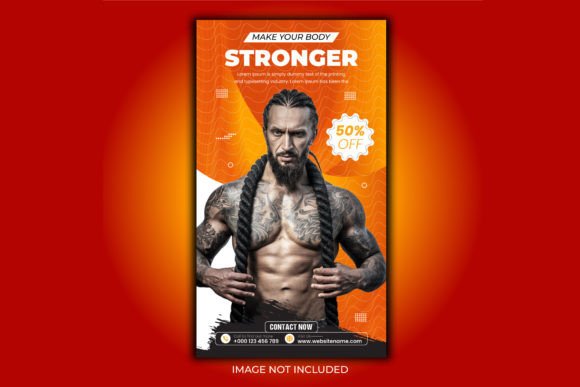
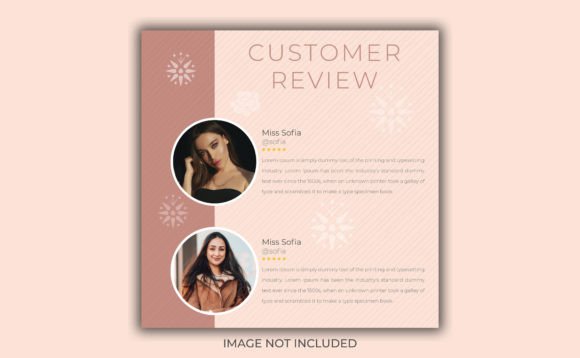
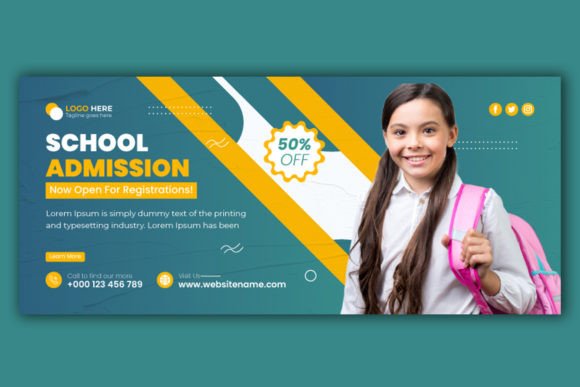
- Background elements are examples only. The wood textures, photographs, and patterns shown in previews demonstrate what's possible—they're not included in the download. Your own images and brand assets take their place.
- Test on mobile. Most Facebook users browse on their phones, and the mobile crop of timeline covers differs from desktop. Check how your finished design looks on a smartphone screen before finalizing.
The .zip archive packaging keeps everything organized. Extract the files to a dedicated folder, install the recommended fonts before opening the PSDs, and you'll avoid missing font warnings that can disrupt your workflow.
Making These Templates Your Own
The real value of any design asset isn't the template itself—it's what you do with it. A Facebook Timeline Cover PSD Template gives you structure and professional design principles, but your images, colors, and messaging transform it into something uniquely yours.
Experiment with different combinations. Try a bold, image-forward layout for a photography portfolio, then switch to a more text-heavy design for a business announcement. Use the templates as learning tools, too—study how the layers are organized, how effects are applied, how typography is positioned. Over time, you'll develop instincts for what works and can even modify the templates more aggressively to suit specific needs.
Whether you're refreshing your own social presence or delivering professional results for clients, having reliable PSD templates