Crafting a Standout Professional Resume with a Modern Template
That stack of resumes on a hiring manager's desk all starts to blur together after a while. Many look identical—same standard fonts, same predictable layout, same lack of personality. In a competitive job market, your first impression often happens on paper (or screen), and a generic document can get lost in the shuffle. A thoughtfully designed resume does more than list your experience; it communicates your attention to detail, your understanding of professional presentation, and your personal brand before you even walk into the interview room.
Why Design Matters in Your Job Search
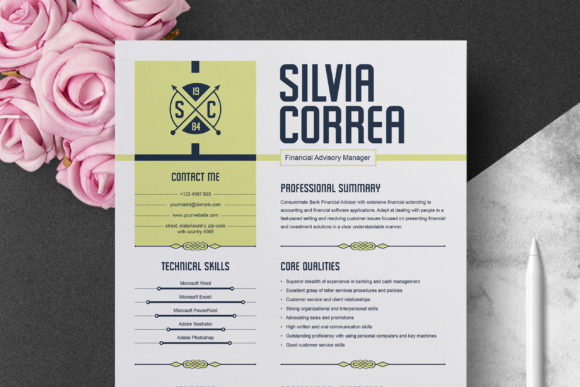
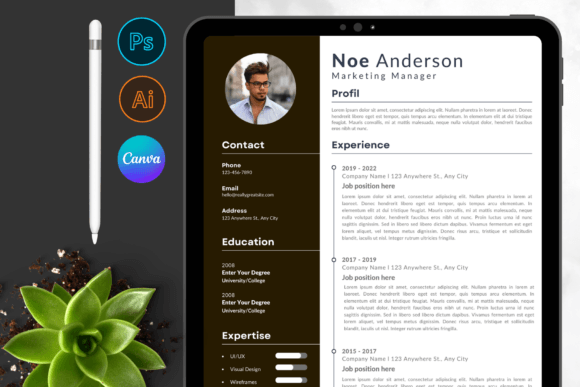
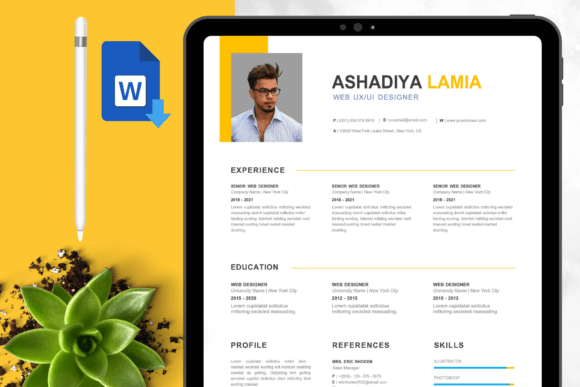
Think of your resume as a single-page advertisement for your professional self. Just as a business uses clean packaging or a polished website to build trust, your resume's visual clarity and organization signal competence. A Professional Resume/CV Template Graphic provides that crucial foundation. It’s not about flashy graphics or distracting colors—it's about structured elegance. A clean, modern layout with well-defined sections for your summary, experience, skills, and education guides the reader's eye effortlessly. This logical flow ensures that your most valuable qualifications are seen and remembered, rather than buried in dense, unformatted text.
The real power of a dedicated template lies in its editability. Every single element—from the font size of your name to the color of the section headers—is fully customizable. This means you can align the visual tone of your resume with the industry you're targeting. A creative role might allow for a subtle accent color, while a corporate finance position demands a more restrained palette. The ability to modify everything ensures your resume feels authentically yours, not like a rigid, one-size-fits-all form. It transforms the task from mere data entry into an exercise in personal branding.
Practical Applications Beyond the Job Hunt
While the primary use is clear, the value of a well-structured document template extends further. For freelancers and entrepreneurs, this same clean framework can be adapted into a professional services brochure or a project proposal template. The principles of clear hierarchy, ample white space, and readable typography apply universally to any document meant to persuade or inform. Imagine using the same design system to create a polished client presentation or a formatted case study. This consistency across your materials builds a cohesive brand identity, reinforcing your professionalism at every touchpoint.
The template's features are designed for real-world usability. Delivered in the widely accessible MS Word (Docx) format, it requires no specialized design software—just a version of Word from 2007 onward. The files are meticulously layered by name, which simply means every text box, line, and shape is logically labeled in the document's structure. This makes editing intuitive, even for those who aren't design experts. You're not hunting through a jumble of unnamed elements; you can quickly locate and change the "Header" color or update the "Job Title" style across the entire document with a few clicks.
Ensuring a Polished and Professional Finish
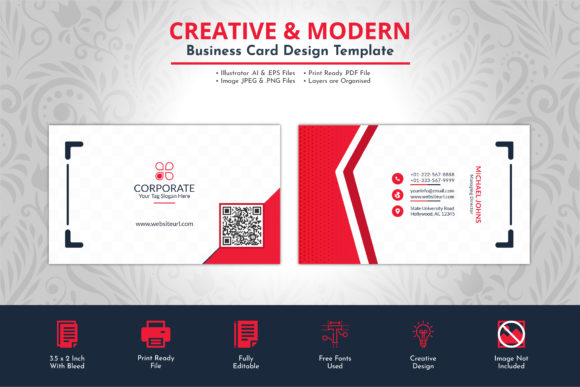
A critical detail for any printed document is the format and bleed. This template is set up on standard A4 paper size (210 mm x 297 mm) with an additional 3mm bleed. For anyone new to print design, "bleed" is the extra margin around your design that gets trimmed off after printing. It ensures that color or graphic elements that extend to the very edge of the page print without leaving an unprofessional white border. Including this in the setup shows a professional level of preparation, whether you're printing at home, at an office, or through a commercial printer.
Typography is the voice of your resume. This package includes the necessary fonts, so you won't face the common problem of opening a file to find missing typefaces replaced with generic alternatives. The fonts are chosen to complement the modern, clean aesthetic—likely a blend of a readable sans serif font for body text and a slightly more distinct serif font for headings, or perhaps a clean sans-serif pairing. This careful font pairing enhances readability and creates a subtle visual rhythm. Furthermore, the template is prepared in CMYK color mode, the standard for professional printing, which ensures the colors you see on your screen will be accurately reproduced on paper.
Tailoring Your Template for Maximum Impact
Getting started is straightforward. The included Instruction & Help File guides you through the customization process. A practical first step is to focus on content before aesthetics. Write out all your text—your compelling professional summary, your achievement-driven bullet points under each job, your relevant skills—and then paste it into the template. This allows you to see how the layout accommodates your specific story. Does the "Skills" section need more space? Can you consolidate older experience to keep the document to one page? The template's structure helps you make these editorial decisions.
Once the content is set, turn to personalization. Use the color tools in Word to change the header background or text color. But exercise restraint; a professional good looking Resume typically uses no more than two complementary colors, plus black and dark gray for text. Ensure there is enough contrast for easy reading. A modern typography approach favors clarity over ornamentation. Stick with the provided font styles—don't mix in five different typefaces. The goal is a document that feels cohesive and intentional, not chaotic. This level of thoughtful design is what helps you leave a positive impression and demonstrates the kind of meticulousness employers value.