Master Your EBook's First Impression with a Canva Cover Design Template
You've poured your expertise, stories, and countless hours into your eBook. Now comes the moment of truth—the cover. It's the first thing a potential reader sees, the silent ambassador that whispers (or shouts) what's inside. A compelling cover isn't just decoration; it's a critical marketing asset that can mean the difference between a click and a scroll-past. For many authors, entrepreneurs, and content creators, the design process feels like a daunting final hurdle. How do you create something professional, on-brand, and eye-catching without a design degree or a hefty budget?
This is where a thoughtfully crafted EBook Cover Design Template in Canva becomes an invaluable design asset. It's not about handing you a rigid, unchangeable file. It's about providing a structured, professionally designed foundation that you fully control. Imagine opening a file where the layout, typography hierarchy, and visual balance are already perfected by a designer. Your role shifts from starting at a blank canvas to making strategic creative decisions. You're not just filling in blanks; you're collaborating with a pre-built design system to create something uniquely yours. The result is a cover that looks polished and intentional, elevating your project's perceived value before a single page is turned.
From Blank Canvas to Brand Beacon: Practical Applications
The true power of a versatile Canva template lies in its adaptability across your entire brand ecosystem. While its primary purpose is to create a stunning book cover, the elements within—a cohesive color palette, complementary font pairings, and balanced composition—can become the cornerstone of your visual identity. Think of the cover design as your brand's visual seed. From it, you can grow a consistent and recognizable presence.
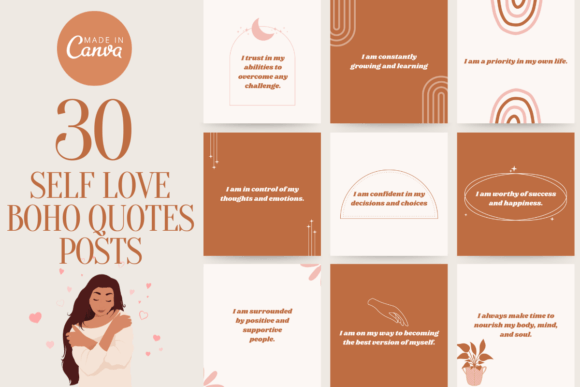
- Social Media Graphics: Use the same background textures, color accents, and typography style to create promotional posts, Instagram stories, and Facebook banners. This creates instant recognition for your audience as they scroll through their feeds.
- Website & Blog Assets: Carry the design language into your website's hero images, blog post featured images, and sidebar graphics. This reinforces your brand identity and makes your digital home feel cohesive and professional.
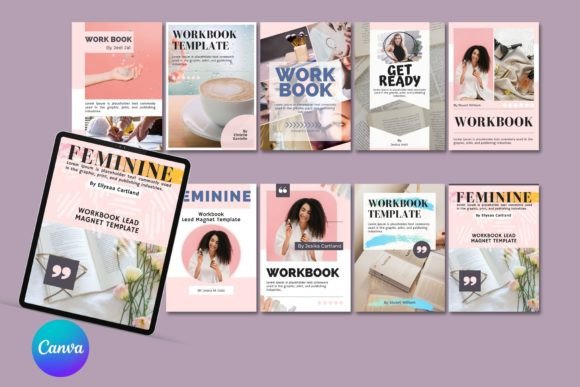
- Presentation Slides & Worksheets: For entrepreneurs and coaches, the template's style can be adapted to design internal materials like workshop slides, client worksheets, or lead magnet PDFs, ensuring every touchpoint is branded.
- Print Materials & Merchandise: The principles of good design are universal. The layout and font choices can inspire the look of business cards, postcards, or even simple merchandise like bookmarks or sticker designs that accompany your eBook.
The Anatomy of an Effective Digital Cover
What makes an eBook cover design template work so well? It's the marriage of aesthetic appeal and functional design principles. A premium template isn't just a pretty picture; it's a strategic layout. It considers visual hierarchy—ensuring your title is the most prominent element—and uses whitespace effectively to avoid a cluttered, amateurish look. The included serif font might lend classic authority to a business guide, while a clean sans serif font could give a modern, approachable feel to a lifestyle workbook. The template provides these curated font pairings, saving you the guesswork of matching typefaces.
When you open your template in Canva, you'll find all elements are fully editable. This is where your brand identity takes shape. You can instantly change the color of every shape, line, and background to match your exact brand hex codes. Upload your own professional headshot or custom illustrations to replace placeholder images. Swap the display font in the title for a script font that feels more personal, or adjust the size and spacing of the body text for optimal readability. The ability to move, rotate, and scale every component means you can tailor the composition to your specific content. This level of customization transforms a generic design into a powerful piece of your brand identity.
Streamlining Your Creative Workflow
The biggest advantage for busy creators is the elimination of technical barriers. There's no software to download, no complex file formats to decipher, and no fonts to hunt down and install. The entire process lives within Canva, a platform many already use. After your purchase, you receive a simple PDF with a link. One click copies the entire template project directly into your Canva account, ready for you to edit. This no-fuss approach means you can go from idea to a finished, professional design in a single afternoon.
This efficiency doesn't sacrifice quality. Because the template is built by a designer, it adheres to professional standards of modern typography and layout. You benefit from that expertise without having to learn it yourself. The template is saved in your Canva account, meaning you can use it repeatedly for different projects. Creating a series? Simply duplicate the design and update the content for each volume. Launching a new course? Use the same template structure to create consistent workbooks and guides. It becomes a reusable part of your design assets toolkit.
Making It Truly Yours: Key Considerations
To ensure your final cover resonates with your audience, keep a few practical tips in mind as you customize. First, consider your project's goal. Is it a serious business book? A whimsical children's story? A vibrant fitness guide? Let that guide your font and color choices. The template provides a starting point, but your tweaks should align with the content's tone.
Next, prioritize readability, especially for the title and subtitle. A beautiful handwritten font might look stunning, but if it's illegible at a small thumbnail size—where most people will first see it—it fails its primary job. Zoom out on your design to see how it holds up. Ensure there's enough contrast between text and background. Finally, remember that this is a Canva Template. While it's for your personal or commercial use (always check the specific license), it's not for resale as a template itself. Your final exported PDF, PNG, or JPG is yours to use on your website, social media, and sales platforms like Amazon KDP or Etsy.
Ultimately, an EBook Cover Design Template