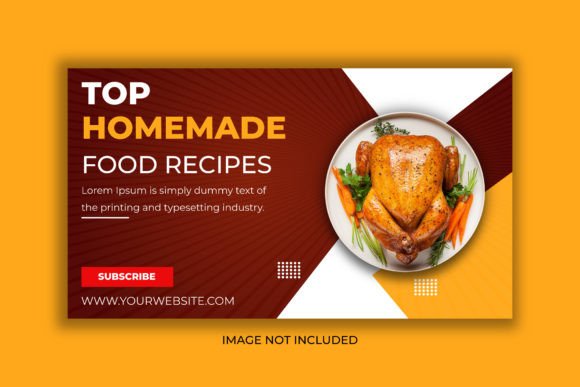
Designing Mouthwatering Food YouTube Thumbnails & Web Banners
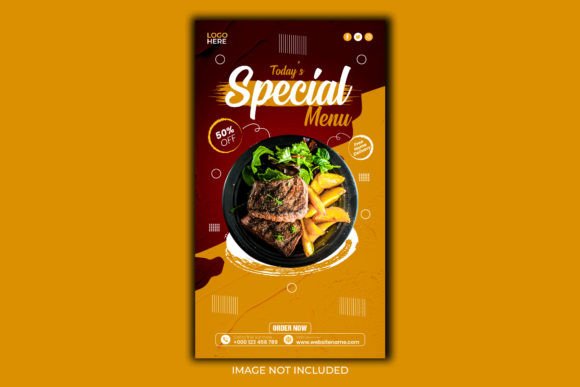
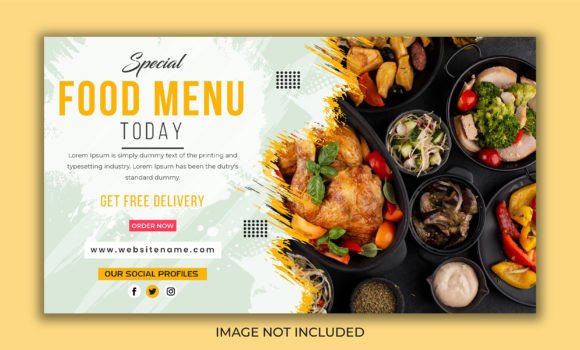
That first impression is everything, especially when your content is competing with a thousand other videos in someone's feed. A perfectly styled shot of a gooey chocolate lava cake or a vibrant summer salad needs a thumbnail that does it justice—one that stops the scroll, sparks curiosity, and promises a delicious result. This is where a purpose-built design asset like the Food YouTube Thumbnail and Web Banner template comes into play, transforming a great photo into an irresistible click.
The Anatomy of an Appetizing Visual
What separates a forgettable thumbnail from one that gets clicks? It's not just the food itself; it's the entire visual package. A compelling food thumbnail uses bold, readable text that doesn't get lost against the background. It employs a color palette that complements the dish—warm tones for baked goods, fresh greens for salads. Composition is key, often using the rule of thirds to place the food prominently while leaving strategic space for text overlays. The template provides this professional framework, ensuring your visuals have the balance and hierarchy of top-tier food channels.
Beyond the Video: A Multi-Platform Brand Asset
Thinking of this template as just a thumbnail is limiting. Its true value lies in its versatility for building a cohesive brand identity. Imagine using the same 1280x720 pixel canvas for:
- Website hero banners for your recipe blog or food delivery service.
- Social media graphics for Instagram carousels, Facebook ads, or Pinterest pins (with slight resizing).
- Newsletter headers to announce new content to your subscribers.
- Promotional materials for cooking classes, e-books, or merchandise.
By maintaining consistent typography, color schemes, and layout styles across all these platforms, you create instant recognition. Your audience learns to associate that specific visual style with your content, strengthening your brand identity with every post.
Practical Workflow: Editing and Customization
The power of a fully editable template in Adobe Illustrator CC is the control it offers. You're not stuck with a static image. You can:
- Swap fonts instantly: The included help file with font download links means you can experiment. Try a clean sans serif font for a modern, healthy-eating channel, or a charming handwritten font for a rustic, home-cooking vibe.
- Adjust colors to match your brand: With the RGB color file, you can tweak the background, text, and accent colors to perfectly align with your existing logo or color scheme.
- Organize and streamline: The well-organized layers mean you won't waste time hunting for elements. This is crucial when you're producing content weekly and need a fast, repeatable process.
This isn't about creating one perfect image; it's about establishing a system for consistent, professional output that saves you hours of design work.
Matching Style to Your Culinary Niche
Your design choices should whisper (or shout) what your channel is about. A template is your starting point, but customization makes it yours. Consider these pairings:
- Modern & Clean: Pair the template's structure with a geometric sans serif font and a minimalist color palette. Perfect for nutrition-focused or trendy recipe content.
- Rustic & Homespun: Use a serif font with a bit of texture or a script font for titles. Incorporate warm, earthy tones and maybe a subtle linen texture in the background.
- Bold & Energetic: Opt for a heavy, impactful display font for your titles. Use high-contrast colors to make the food pop against vibrant backgrounds.
The key is alignment. Your typography and color scheme should reinforce the emotional promise of your content—whether that's comfort, health, excitement, or gourmet sophistication.
Professional Polish That Builds Trust
Viewers subconsciously associate production quality with content quality. A thumbnail that looks rushed or generic can undermine even the best recipe video. Using a professionally designed template ensures your visuals have the clean lines, balanced whitespace, and intentional hierarchy of editorial design. This professional presentation builds credibility before the viewer even presses play. It signals that you take your craft seriously, which in turn makes them trust your recipes and recommendations more.
Remember, the most successful food creators treat their channel like a brand. Every visual touchpoint—from the thumbnail to the video intro to the Instagram story—should feel connected. This template provides a foundational piece for that visual ecosystem, helping you craft images that are not just beautiful, but strategically effective in growing your audience and engagement.